Apple Independent Repair Provider

Apple repair.Simply original.

Original Apple parts, Apple-certified technicians and the official diagnostics and calibration. In our stores, at your home with the FixersBuzz and in the Repairbars.

  • Original Apple parts
  • Apple-certified technicians
  • Up to 12 months' warranty
  • 4.9 from our customers
You choose

Original or Fixers quality

As an Apple Independent Repair Provider, we work with original Apple parts. Would you rather have it faster or cheaper? Then choose our own quality parts. You'll hear what it costs beforehand.

Original Apple

Just as it left the factory

A new, original Apple part, calibrated with Apple's official tools. On your iPhone you can see it under Parts and Service History.

  • True Tone, battery health and Face ID keep working as normal
  • Official diagnostics and calibration
  • Not in stock? Then we'll order it, usually within a few days

Turn off Find My before the repair. Here's how

Fixers quality

Fast and affordable

Our own high-quality parts: Fixers Basic, Plus, Refurbished and Pro. Often in stock right away, so you're usually done the same day.

  • Screen or battery usually within 30 minutes
  • Lower price than original
  • Colour or brightness may differ slightly from the original

Not sure? Choose Advise me when booking.

Make an appointment

Plan your Apple repair

Choose your device, what's broken and where you want to be helped. We'll contact you soon to confirm the appointment.

  • Original Apple parts or Fixers quality
  • In a store, at home or in a Repairbar
  • You'll hear what it costs beforehand
  • If it doesn't work out, you pay nothing

Don't forget Find My. Turn it off before you bring your device to us. Here's how

The form is loading…

Before your appointment

How to turn off Find My

For a repair with original Apple parts, Find My must be turned off. Otherwise we can't set up the part properly. It takes you a minute. Do it at home, it saves waiting.

  1. 1

    Make a backup

    Go to Settings › your name › iCloud › iCloud Backup and tap Back Up Now.

  2. 2

    Turn off Stolen Device Protection

    Go to Settings › Face ID & Passcode (or Touch ID & Passcode) › Stolen Device Protection. As long as this is on, you can't turn off Find My.

  3. 3

    Turn off Find My

    Go to Settings › your name › Find My › Find My iPhone (or iPad). Turn the switch off and enter your Apple Account password.

  4. 4

    Turn it back on after the repair

    Got your device back? Then turn Find My and Stolen Device Protection back on.

Do it at home. Not in a familiar place, such as home or work? Then your iPhone asks for Face ID and you have to wait an hour before you can turn off Stolen Device Protection.

Is your screen no longer working? Then log in at icloud.com/find or open Find My on another Apple device. Choose your device and then Remove This Device. Follow the steps on the screen.

We never ask for your password or passcode. You always enter them yourself.

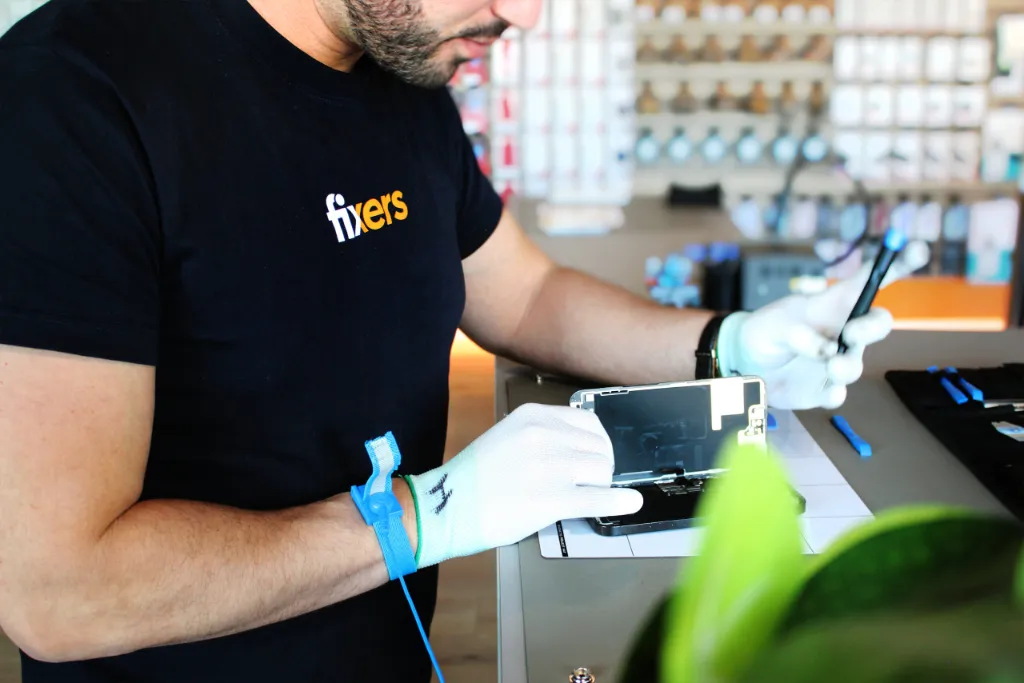
Fixers technician repairing an iPhone at an ESD workstation
Apple Independent Repair Provider

What does that mean for you?

Fixers is part of Apple's Independent Repair Provider programme. This gives us access to original Apple parts, tools, training, manuals and diagnostics.

  • Apple-certified techniciansOur technicians are trained and certified by Apple.
  • Official diagnostics and calibrationAfter the repair, we test and calibrate your device following Apple's procedures.
  • Freedom of choiceWe used to be an Apple Authorised Service Provider (AASP) and could only use original parts. Now you choose: original where it matters, affordable where it can be.

Good to know: we are not an Apple Authorised Service Provider. This means our repairs are not covered by Apple's warranty or AppleCare. You do get up to 12 months' warranty from Fixers. Is your device still covered by Apple's warranty? Then you can go to Apple or an Apple Authorised Service Provider.

Frequently asked questions

Good to know

Can't find your question here? Send us a message, we'll be happy to help.

Ask your question via WhatsApp
Do you use original Apple parts?

Yes. As an Apple Independent Repair Provider, we work with original Apple parts, for example for screens and batteries. Would you rather have it faster or cheaper? Then you can choose our own Fixers parts. You'll hear what it costs beforehand.

Does Find My need to be turned off for the repair?

Yes, for a repair with original Apple parts. Otherwise we can't set up the new part properly. Here's how to turn off Find My. Simply turn it back on after the repair.

How long does a repair take?

With Fixers parts, a screen or battery is usually ready within 30 minutes. If the original Apple part is in stock, you're often done the same day. If it has to be ordered, it usually takes a few days.

Will all functions keep working after the repair?

With a repair using an original Apple part, True Tone, battery health, auto-brightness and Face ID (if it isn't broken itself) keep working as normal. After the repair, we calibrate the part with Apple's official tools. On your iPhone you can see it under Settings › General › About › Parts and Service History.

Do I get a warranty on the repair?

Yes, you get up to 12 months' warranty from Fixers: 12 months on most repairs and 6 months on batteries. Damage from drops, knocks or moisture isn't covered.

Do you also do repairs under Apple's warranty or AppleCare?

No. As an Independent Repair Provider, we do repairs outside the Apple warranty. Is your device still covered by Apple's warranty or by AppleCare? Then you can go to Apple or an authorised Apple service provider. With us, you do get a Fixers warranty on the repair.

Can I drop in without an appointment?

Yes, you're welcome in our stores without an appointment. Would you like an original part? Then it's better to make an appointment, so we can have the part ready for you.

Can an original repair also be done at your home or in a Repairbar?

Yes. We repair with original Apple parts in our stores, at your home with the FixersBuzz in the Amsterdam and Rotterdam regions, and in the Repairbars in MediaMarkt. When booking, choose where you want to be helped.

Is my data safe?

We only repair the hardware. Your photos, apps and files stay yours. To be safe, always make a backup before you come. We never ask for your password or passcode.

How much does a repair with original parts cost?

That depends on your device and the repair. You always hear the price beforehand, for original and for Fixers quality. If the repair doesn't work out, you pay nothing.

For which iPhones do you have original parts?

iPhone 17, iPhone 17 Air, iPhone 17 Pro, iPhone 17 Pro Max, iPhone 16e, iPhone 16, iPhone 16 Plus, iPhone 16 Pro, iPhone 16 Pro Max, iPhone 15, iPhone 15 Plus, iPhone 15 Pro, iPhone 15 Pro Max, iPhone 14, iPhone 14 Plus, iPhone 14 Pro, iPhone 14 Pro Max, iPhone 13 mini, iPhone 13, iPhone 13 Pro, iPhone 13 Pro Max, iPhone 12 mini, iPhone 12, iPhone 12 Pro and iPhone 12 Pro Max.Can't see your model? Get in touch and we'll see what we can do.

For which iPads do you have original parts?

iPad Pro 13-inch (M4), iPad Pro 11-inch (M4), iPad Air 13-inch (M3), iPad Air 11-inch (M3), iPad Air 13-inch (M2), iPad Air 11-inch (M2), iPad Air (5th generation), iPad (10th generation) and iPad mini (6th generation).

For which MacBooks do you have original parts?

MacBook Air 13-inch (M4), MacBook Air 15-inch (M4), MacBook Air 13-inch (M3), MacBook Air 15-inch (M3), MacBook Air 13-inch (M2), MacBook Air 15-inch (M2), MacBook Air 13-inch (M1), MacBook Pro 14-inch (M4), MacBook Pro 16-inch (M4), MacBook Pro 14-inch (M3), MacBook Pro 16-inch (M3), MacBook Pro 14-inch (M2), MacBook Pro 16-inch (M2), MacBook Pro 13-inch (M2) and MacBook Pro 13-inch (M1).

Apple broken? We'll repair it with original parts.

Book your repair in a minute. In store, at your home or in a Repairbar.