

MacBook Air 13 inch M4 (2025) repair
A cracked screen, coffee on the keyboard or it no longer charges? We repair your MacBook Air 13 inch M4 (2025) with genuine Apple parts or a more affordable choice. With a 12-month warranty, and your files stay put.
- Genuine Apple parts
- 12-month warranty
- Free quickscan
- 8 stores, walk-ins welcome
Hi, what's wrong with your MacBook Air 13 inch M4 (2025)?
FixersAI finds the repair and the price for your MacBook Air 13 inch M4 (2025).
Choose your repair and see the price right away

MacBook Air 13 inch M4 (2025) repair
Problems with your MacBook Air 13 inch M4 (2025)? Whether it is a cracked screen, a keyboard that stopped working after a spill or a battery that drains fast, our technicians fix it properly. Choose your repair below.
What we see most often on the MacBook Air 13 inch M4 (2025)
Click your problem and book the right repair straight away. Not sure? The quickscan in the store is free.
Closed the lid on something
An earbud, pen or crumb was on the keyboard, and after closing the lid there is a crack or a stain on the screen. We see this a lot.
Dropped: lines or a black screen
Lines, flickering or part of the screen staying black after a drop or knock. Usually the screen is damaged and we fit a new one.
Coffee or water on the keyboard
Switch it off straight away, unplug the charger and come in as soon as you can. The sooner we open and clean it, the better the chance everything keeps working.
Keyboard stopped working
Keys that do not respond, stick or type twice, often after a spill. Then we replace the keyboard.
Won't charge
The charger does nothing, or the MagSafe light stays off? We test your charger and cable first. If it is the port, we replace it.
Won't turn on
No picture, no sound and no response to the power button. In the store we find out whether it is the battery, the charger or the logic board.
Very slow or freezing
A spinning beach ball, a hot bottom or a fan that keeps roaring. We clean it inside or set up macOS again for you.
Battery drains fast or swells
Does it say Service Recommended, does it drain fast, or has the trackpad stopped clicking because the battery is swelling? Then it needs a new battery.
How much does a MacBook Air 13 inch M4 (2025) repair cost?
All prices come straight from our repair system. Not every repair is available in every quality; where it isn't, you'll see a dash.
What is the difference between the qualities?The MacBook Air 13 inch M4 (2025) at a glance
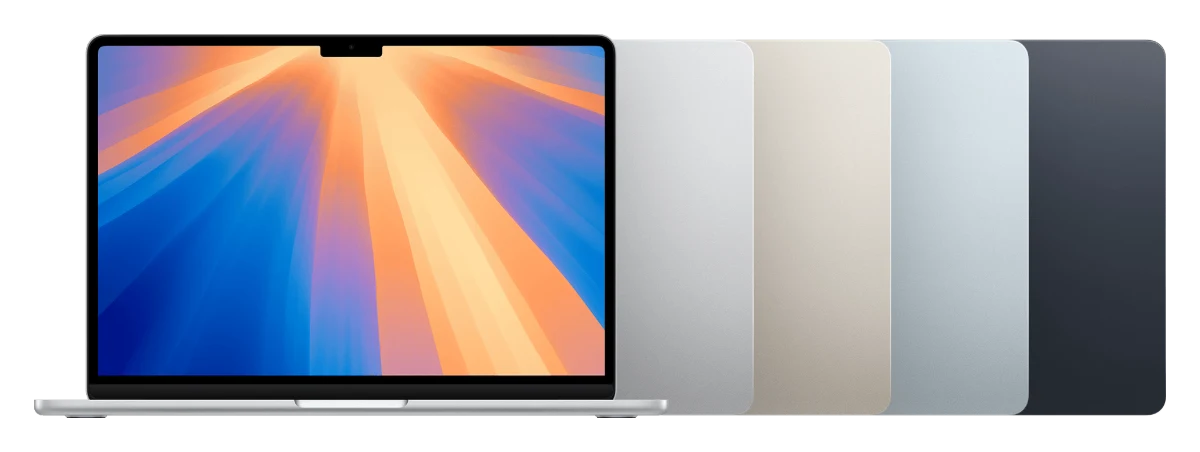
The 13-inch MacBook Air with M4 came out in 2025. It is light, silent because it has no fan, and charges via MagSafe or USB-C.
- Released
- 2025
- Chip
- M4
- Screen
- 13.6-inch Liquid Retina
- Charging
- MagSafe 3
- Model number
- A3240
Which MacBook do you have? Click the Apple menu at the top left and choose About This Mac. The model number, starting with an A, is also printed in small letters on the bottom of your MacBook.
How it works
- 1
Book online or walk in
Choose your repair and a time that suits you. No appointment is fine too.
- 2
Free quickscan, fixed price
We look at your MacBook. You hear beforehand what it costs and how long it takes.
- 3
Done, with warranty
You only pay once your MacBook is ready, and you get a 12-month warranty.
No time to come in? Send in your MacBook or let FixersBuzz come to you.
Get your MacBook Air 13 inch M4 (2025) repaired near you
Walk in or book a time. In every store we check for free what is wrong, and you hear straight away what it costs.

Questions about the MacBook Air 13 inch M4 (2025) repair
Can't find your question? Ask FixersAI, send us a WhatsApp or just walk in.
Do you fit a genuine Apple screen?
For this model we currently offer Refurbished: a refurbished original screen. Ask us in the store about an original Apple screen.
Something was between the keyboard and screen when I closed my MacBook. Can the screen be fixed?
Yes. We see this a lot: an earbud, pen or crumb presses a crack or stain into the screen. The screen itself cannot be repaired, so we fit a new one.
There are lines on my screen after a drop. What now?
Lines, flickering or a partly black screen after a drop usually mean the screen is damaged. In the store we check for free whether it is the screen or something else, and you hear straight away what it costs.
My MacBook no longer charges. Is it the port?
Not always. First try another cable and charger. If that does not help, we test the port in the store and replace it if needed.
My MacBook will not turn on. Can you fix that?
Often we can. It may be the battery, the charger or the logic board. The quickscan in the store is free.
How long does a screen repair take?
That depends on your model and whether the screen is in stock. You hear beforehand how long it will take, so there are no surprises.
Will my files be kept?
Yes. With a screen, keyboard or battery repair we do not touch your storage. To be safe, do make a backup first, for example with Time Machine.
What does the 12-month warranty cover?
The warranty covers the replaced part and our work. Damage from drops, knocks or liquid after the repair is not covered.
Will I get an invoice?
Yes, including VAT. Handy if your MacBook belongs to your business.