

Samsung Galaxy Book repair
Galaxy Book, Book Pro, Book 360 or Book Ultra: our technicians are Samsung certified and repair your Galaxy Book with the right parts.
- Many parts in stock
- All brands and models
- Free quickscan
- 12-month warranty

Ranges we repair
- Galaxy Book
- Galaxy Book Pro
- Galaxy Book 360
- Galaxy Book Ultra
- Galaxy TabPro S en Book Edge
We repair every Galaxy Book
From home and study laptops to business and gaming. This is what we see most per range.
Galaxy Book
The standard Galaxy Book. We most often replace the screen, battery and keyboard.
Galaxy Book Pro
With an AMOLED screen, which costs more and is usually one complete unit.
Galaxy Book 360
Folds over and has a touchscreen with S Pen. Glass and panel are one unit.
Galaxy Book Ultra
With a powerful graphics card and a 3K AMOLED screen.
Galaxy TabPro S en Book Edge
We repair older and newer models too.
What we often see on Galaxy Book
AMOLED screen
AMOLED gives deep colours but costs more to replace. We fit an equivalent screen.
Won’t charge via USB-C
Galaxy Books charge via USB-C. If it won’t charge, it is often the port or the charger.
Battery drains fast
Draining fast? A new battery gives you the full battery life again.
What we repair on your Galaxy Book
From screen to DC jack: this is what we do most. You hear the price for your model beforehand, no surprises.
Screen replacement
Cracks, lines, blotches or a black screen. We fit a screen with the same resolution, Hz and connector.
Battery replacement
Drains fast, won’t charge or swollen. Check below how healthy your battery is.
Keyboard or top cover
Keys that stick or do nothing. If the keyboard is fixed into the top case, we replace the complete top cover.
Fan and thermal paste
Loud or very hot? We replace the fan and apply new thermal paste to the processor.
Hinge and housing
Broken hinge, cracked lid or damaged bottom case. We make it solid again.
Charging connector (DC jack)
Charges only at a certain angle, or not at all.
USB-C port
Won’t charge via USB-C or no longer detects your monitor or drive.
HDMI and USB ports
No picture on your second screen or a loose port. We replace the port; sometimes motherboard work is needed.
Faster with SSD and memory
Laptop slow? With an SSD and extra memory it starts in seconds. We advise what fits your model.
Liquid damage
Spilled something? Switch it off, unplug it and come in. We open, clean and dry it.
Reinstall Windows
Slow, cluttered or not starting properly? We set up Windows again for you.
Internal clean
Dust and dirt out, so it runs cool and quiet again.
Won’t turn on or motherboard
No picture, no response? We find out. If more investigation is needed, you hear the cost beforehand.
Parts in stock, so you are back at work quickly
You miss a laptop straight away. That is why we keep the most requested parts in stock: screens, batteries, keyboards, fans and charging connectors. If the part is here, your laptop is often ready the same day. If not, we order it straight away from our regular supplier.
- We look up the part by your model number, so it fits exactly
- You hear beforehand what it costs and how long it takes
- Business? The same prices for all your team’s laptops (business)
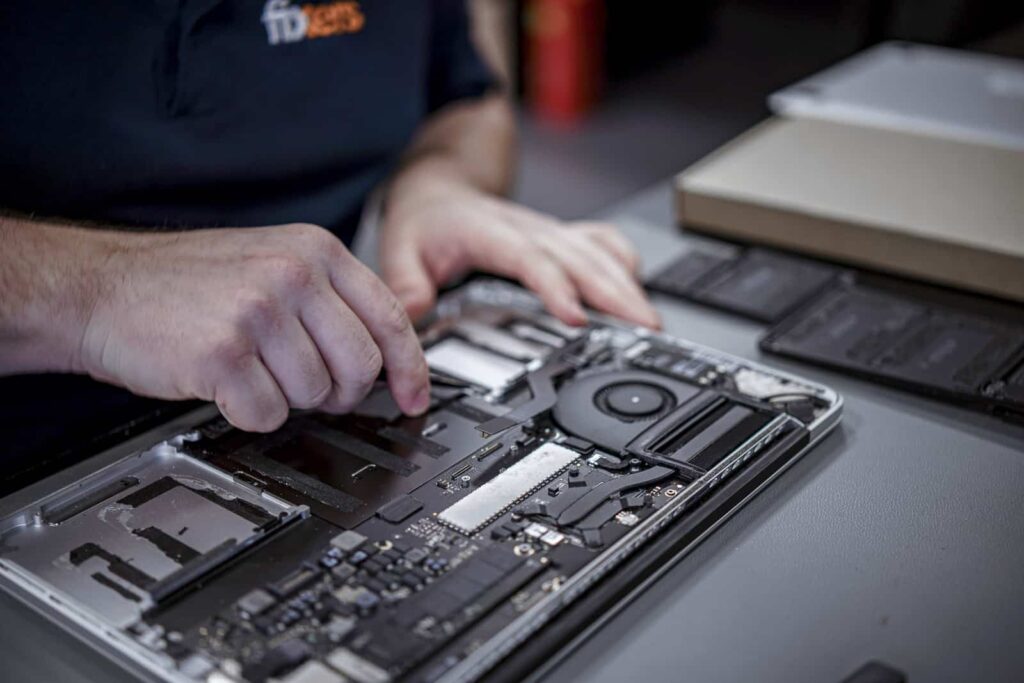
Why one laptop screen costs more than another
A new screen costs from €159. Exactly how much depends on the screen in your laptop. These are the five things that make the difference.
Refresh rate (Hz)
A standard screen refreshes 60 times a second. Gaming screens do 120, 144, 165 or even 240 Hz. Those panels cost more and are less common.
OLED, 2K and 4K
A Full HD IPS screen is the most affordable. OLED and high resolutions (2K, 3K, 4K) look better but cost more.
Touchscreen
With touch, glass, touch layer and panel are fused together. Then we replace the complete screen, not just the panel.
Read all five differences. Send us your model number and you hear beforehand exactly which screen it needs and what it costs.
How healthy is your laptop battery?
Windows keeps track of how much your battery can still hold. With one command you get a report with its capacity when new, its capacity now and the number of charge cycles.
- 1Open Command Prompt
Press the Windows key + R, type cmd and press Enter.
- 2Paste this command and press Enter
powercfg /batteryreport && start battery-report.htmlYour browser opens the report. The file is called battery-report.html and is in your user folder.
- 3Let us read it out on the right
Drag the file into the box or choose it. The report is only read in your own browser and is not sent anywhere.
Or enter the numbers yourself
Is your laptop bulging or the touchpad lifting? Stop using it and come in.
How it works
- 1
Book online or walk in
Choose your brand and what is wrong. No appointment is fine too.
- 2
Free quickscan, fixed price
We look at your laptop. You hear beforehand what it costs and how long it takes.
- 3
Done, with warranty
You only pay once it is ready, and you get a 12-month warranty.
No time to come in? Send in your laptop or let the FixersBuzz come to you, at home or at the office.
Get your Galaxy Book repaired near you
Walk in or book a time. In every store we check for free what is wrong, and you hear straight away what it costs.

Questions about Galaxy Book repair
Can't find your question? Send us a WhatsApp or just walk in.
How much does a Galaxy Book laptop repair cost?
A new screen costs from €159, a battery from €119 and a keyboard from €139. The exact price depends on your model; you hear it beforehand.
Do you have parts in stock?
We keep the most requested parts in stock. If something is not, we order it straight away from our regular supplier, so you don’t wait long.
Will my files be kept?
For most repairs we don’t touch your storage. Do make a backup first, to be safe.
How do I find the model of my Galaxy Book?
The model (for example NP750XED) is on the sticker underneath or in the Samsung Settings app.
Are you Samsung certified?
Yes. Our technicians are Samsung certified and work with the right parts and tools.
Can you come to me?
Yes. In the Rotterdam and Amsterdam area the FixersBuzz comes to your home or office and repairs your laptop in the van where possible.
What does the 12-month warranty cover?
The warranty covers the replaced part and our work. Damage from drops, knocks or liquid after the repair is not covered.