

No cure, no pay
Support
MacBook keyboard not working anymore?
Don’t panic! We’re happy to help you solve this problem
Your MacBook keyboard isn't working and doesn't seem to respond to anything any more. Sometimes you can still fix it yourself, and other times you need our help to get your MacBook back to as good as new. There can be various causes for, say, MacBook 2018 keyboard issues. In some cases dirt under the keys may be the cause, and other times something worse is going on. Fortunately, you can always come to Fixers in that case. Through our website you can easily book the repair for your MacBook, after which our experienced repairers will get to work for you.
MacBook keyboard not working anymore
Your MacBook keyboard isn't working any more? No reason to give up! A keyboard that doesn't work can have various causes. We're ready to help you track down the culprit. Has your MacBook recently taken a hard knock? Then there may be external damage. But of course something may also be wrong internally. Have no idea what could be going on? Don't panic! Our certified technicians will gladly look for the problem for you. The quick scan is free. MacBook keyboard not working? Book a free quick scan or schedule your repair now via our website.
Make an appointmentVisit a store
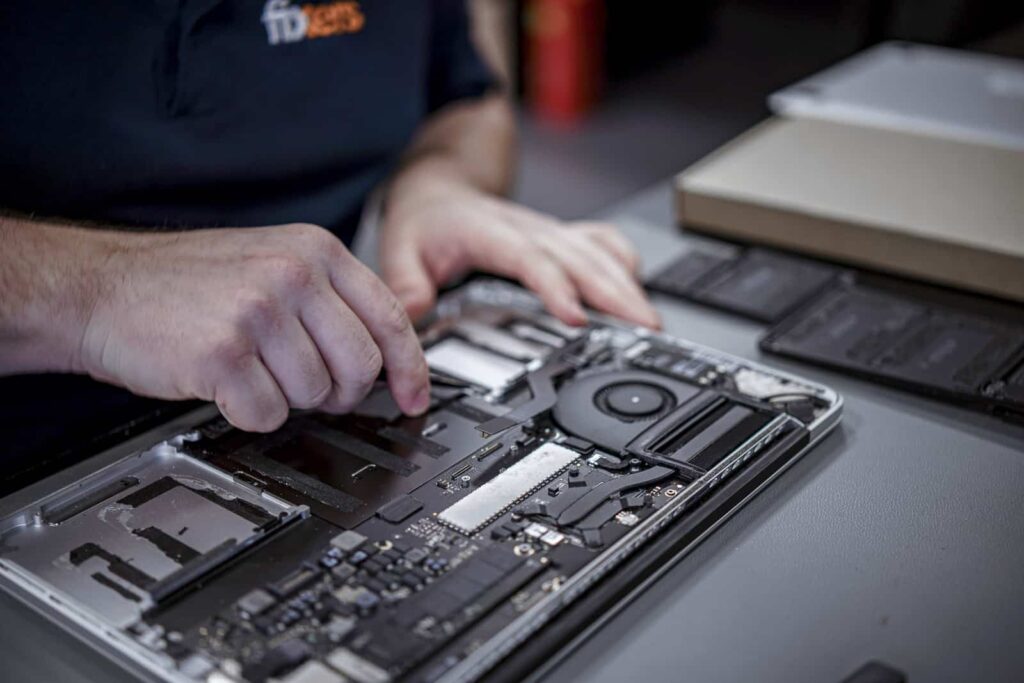
MacBook keyboard not working, is a repair needed?
Unsuspecting, you start up your MacBook in the morning at your leisure while enjoying a cup of coffee. One more sip and you're ready to go. You open the first e-mail – always nice to start the morning with – and begin typing. But… huh?! No text appears. HELP, your MacBook keyboard isn't working any more. Sound familiar? Then you were surely pretty annoyed. Fortunately, a repair isn't always necessary. In some cases you can easily solve the problem yourself. And yes, even if you're not technically minded. By following the two steps below, you'll quickly and easily find out whether a repair is needed.
Step 1: check Mouse Keys
You'll probably feel a bit silly if this turns out to be the case, but there's a chance you've accidentally switched on Mouse Keys. There's no need to feel that way, though – it happens to the best of us, honestly!
Do some keys work while the rest of the keys let you down? In that case there's a good chance you have indeed switched on Mouse Keys. With this feature you can control the pointer using your keyboard. Very handy when you need it, but a bit less pleasant when you want to use your keyboard normally. Fortunately, you can also switch this feature off again very easily. Go to 'System Preferences' via the Apple icon at the top left of your screen. Then go to 'Accessibility' and click 'Mouse & Trackpad'. Untick 'Enable Mouse Keys' and voilà! There you go.
Step 2: clean the keyboard
Still the same problem? Then you can try cleaning your keyboard thoroughly. Dirt under the keys can stop them from working. Do you have an older model? Then you can pop the keys off. Ideal if a few keys no longer work. Are you the lucky owner of a newer model? Then, unfortunately, the keys can't be removed. You can, however, blow compressed air from a can under the broken keys. With a bit of luck the dirt will come loose. Doesn't work? Then, unfortunately, the entire casing will need to be replaced.
My MacBook keyboard isn't working any more. What now?
https://www.fixers.nl/macbook-reparatie/Did neither step make a difference? Then you can turn to Fixers for a free quick scan. Perhaps your battery has swollen, you have a butterfly keyboard, or the problem started while installing software. It's our job to find out! So, is your MacBook keyboard still not working? Make an appointment straight away or send your MacBook to us.