

No cure, no pay
Support
Water damage: what now?
Don’t panic! We’re happy to help you solve this problem
You know how it goes: the Friday afternoon drinks on the terrace get a little out of hand and a full glass of drink ends up all over your device. Bummer!
Yes, indeed... bummer! But (as yet) no reason to panic. Our specialists will do everything they can to get your device moisture-free & 100% functional again as quickly as possible. We can't do it alone, though – we need your help too
My help?!
Yes, your help. What you do first after the accident with your laptop, tablet or smartphone usually decides whether your beloved device will ever see the light of day again. That's why we've put together a number of to-dos/tips for you in case you're dealing with moisture and/or water damage. You're better off not taking any other action: it increases the risk of serious damage inside your device and the chance that it will stop working altogether. Have you followed the steps below after water/moisture damage? Then drop by and see us (Fixers.nl) as soon as possible (you can do this in Nieuw-Vennep or Amsterdam!) and one of our specialists will be happy to help you.
Make an appointmentVisit a store
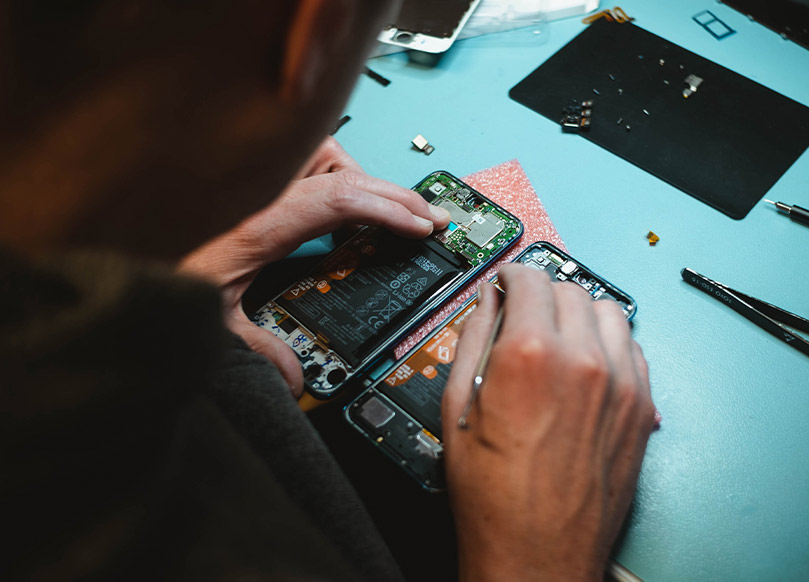
Step 1: Switch the device off immediately.
Remember why you should never take a hairdryer into the bath? Exactly… electricity and water do not mix. It is very important that you switch your device off immediately after contact with water and do not let it come into contact with electricity again. Don't take any action yourself, and bring the device to a specialist as soon as possible.
Step 2: Clean the surface of the device
Thoroughly clean the surface of your device with a cloth or another moisture-absorbing object, so that no more moisture can get into your device. Try to wipe away any remaining moisture. Make sure the audio jack (where your headphone plug goes in) and the charging port are also properly dried.
Step 3: To rice, or not to rice?
You can choose to put your device in rice. Rice naturally draws out moisture. But it's still just rice, and rice is a food product, not a magic cure. Still, every little bit can help, and we recommend placing your device in a bag (preferably a vacuum bag) filled with rice and leaving it there until you take it to a repairer.
Step 4: Take your device to a repairer as soon as possible
Unfortunately, the steps above don't remove the need for a repairer to look at your device. It's therefore important that you take your device to a certified repairer as soon as possible. Even if you've managed to get your device working again yourself, there will always be moisture left in the device, which can still cause damage to it in the long term.
How does a water/moisture damage inspection work at Fixers?
After we receive your device, the motherboard and other components are removed and cleaned with a special liquid. These parts are cleaned with a special machine that uses ultrasonic sound waves to remove any corrosion and/or water damage from the components. After the components have been cleaned, they are tested to see whether there are any defects.
In most cases there are no further defects, and the device will work perfectly again after our water damage treatment.
Make an appointmentVisit a store