Cleaning your iPhone’s charging port: how to do it safely

Your plug no longer sits firmly in your iPhone, or it only charges if you hold the cable at an angle. In nine out of ten cases, there’s simply lint in the port. It comes from your trouser pocket and gets pressed in further every time you charge. The good news: you can often fix it yourself.
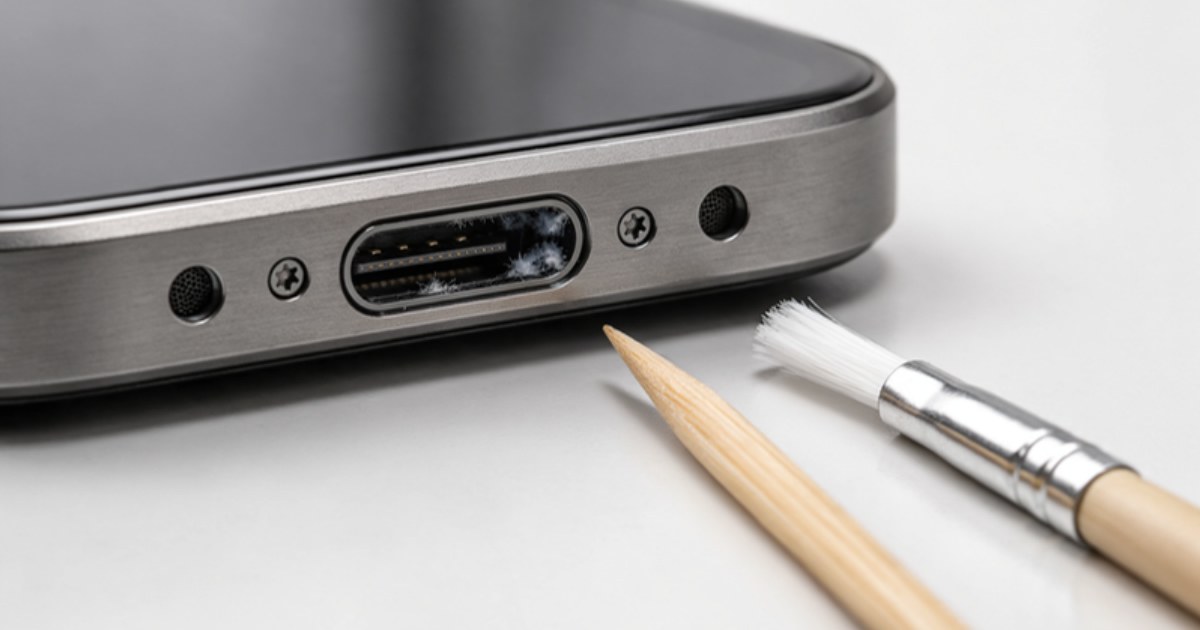
Switch your iPhone off, shine a light into the port and carefully remove the lint with a wooden toothpick. Never use anything metal, such as the SIM ejector pin. If your iPhone still doesn’t charge properly afterwards, the port is damaged and needs to be replaced.
How to tell if your port is dirty
- The plug no longer clicks in properly or falls out easily.
- Your iPhone only charges in a certain position.
- Charging keeps starting and stopping.
- You see the message that the accessory may not be supported.
- With a light, you see grey or black felt at the bottom of the port.
How to clean it safely
- Switch your iPhone offThis prevents a short circuit between the contacts.
- Look inside with a lightA torch or the light of another phone is enough.
- Use a wooden toothpickCarefully scrape along the bottom of the port, from back to front. Remove the lint bit by bit.
- Be careful with USB-CAn iPhone 15 or newer has a USB-C port with a plate in the middle. The contacts are on that plate. Keep the toothpick away from it.
- Test with another cableThis way you know for sure it’s not your cable.
Do not use a needle, paperclip or SIM ejector pin, and no compressed air or liquid. These will damage the contacts or push the dirt further in.
When is the port broken?
If the port is clean and your iPhone still charges badly with different cables, the contacts are worn or bent. They can also start to rust after exposure to moisture. In that case, the charging port needs to be replaced. This often renews the microphone and the connection to the speaker as well, because on many iPhones they are on the same part.
Charging port replacement
Choose your iPhone and then Charging port. You’ll see the price for your model straight away.
- Open 7 days a week
- Warranty of up to 12 months
- Ready while you wait
Frequently asked questions
Can I use compressed air to clean my charging port?
Preferably not. Compressed air often blows the dirt further in, and moisture from the can can damage the contacts.
How often should I clean my charging port?
Only when you notice the plug doesn’t sit as firmly as it used to. A case with a flap or a trouser pocket without lint helps.
Can a dirty port damage my iPhone?
A poor connection can get hot. If you see brown or black spots on the contacts, have the port checked.
Is the charging port the same as the microphone?
On many iPhones, the charging port and the bottom microphone are on the same part. That’s why problems sometimes show up together.
Also read
Daan has been a technician at Fixers for three years and is certified for Apple (Atlas) and Samsung (GSPN). He works at Fixers Leiden and helps write the knowledge base, so that you can often solve a problem yourself first.