Face ID not working or not available? How to fix it

You pick up your iPhone, look at the screen and nothing happens. Or you get a message saying Face ID is not available. Annoying, because now you have to type in your passcode everywhere. Often a few simple steps will sort it. Sometimes something really is broken. Here’s how to tell the difference.
If Face ID isn’t working, first clean the top of your screen, remove your case or screen protector and restart your iPhone. If it still doesn’t work after that, reset Face ID. Do you get a message saying there’s a problem with the TrueDepth camera, or does resetting fail? Then a component is broken and your iPhone needs to be repaired.
How Face ID works
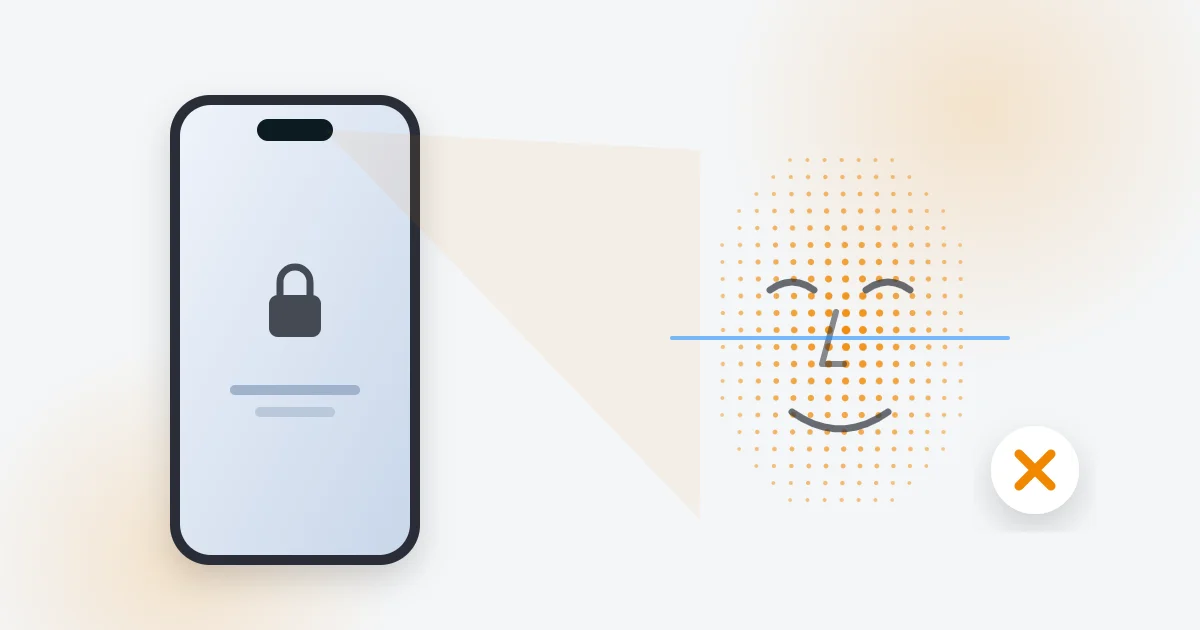
Face ID uses the TrueDepth camera at the top of your screen. That’s more than a selfie camera. It contains three main parts:
- A dot projector that puts more than 30,000 invisible dots on your face.
- An infrared camera that reads those dots and makes a 3D map of your face from them.
- An infrared light that lights up your face, so it also works in the dark.
Your iPhone compares that map with what it has stored. That data stays encrypted on your iPhone and doesn’t go to iCloud. The parts are small and fragile. A drop or a bit of moisture is sometimes enough to damage them.
Check first: is it really a fault?
Sometimes your iPhone asks for your passcode on purpose, even when Face ID is working fine. That’s a security measure. It happens:
- when your iPhone has just been switched on or restarted
- when you haven’t unlocked it for more than 48 hours
- when you haven’t used your passcode for 6.5 days and haven’t used Face ID in the last 4 hours
- when your iPhone has been locked remotely via Find My
- after five failed attempts to recognise your face
- after you’ve held the side button and a volume button for 2 seconds, to switch off or call SOS
Do you enter your passcode and does Face ID then work normally again? Then there’s nothing wrong.
How to fix it yourself
- Clean the top of the screenWipe the area at the top of your screen with a soft, dry cloth. Grease from your fingers or make-up is enough to confuse Face ID.
- Remove your case and screen protectorIf the edge of your case or a piece of screen protector covers the camera, Face ID can’t see you properly. Cheap protectors without a cut-out in particular often get in the way.
- Show your faceYour eyes, nose and mouth must be visible. Some sunglasses block infrared light, so try without them. Do you wear a face mask? Then switch on Face ID with a Mask (iPhone 12 and newer).
- Hold your iPhone properlyHold it 25 to 50 centimetres from your face. Unlocking while lying down is possible from the iPhone 13 with iOS 16. With older models you have to hold it upright. On the iPhone 18 Pro the camera is at the top left: when lying down, make sure your hand isn’t covering it.
- Check the settingsGo to Settings > Face ID & Passcode. Check that Face ID is set up and that it’s switched on for unlocking.
- Update and restartInstall the latest iOS via Settings > General > Software Update. Then switch your iPhone completely off and on again.
- Reset Face IDGo to Settings > Face ID & Passcode and tap Reset Face ID. Follow the steps on the screen. Do you often wear glasses? Then also add a second appearance with glasses.
These messages mean something is broken
Is Face ID still not working after all the steps? Or do you see one of these things? Then it’s no longer a settings issue:
- You get a message saying there’s a problem with the TrueDepth camera and that Face ID has been disabled.
- Face ID is not available and you can’t reset it either.
- During setup, your iPhone keeps asking you to hold it higher or lower, however you hold it.
- Your selfie camera acts strangely or stays black. It’s in the same module.
- It started after a drop, after water damage or after a screen repair.
Apple says so too: if your iPhone reports that Face ID has been disabled, only a trained technician can fix it.
Can Face ID be repaired?
Often it can, but it’s not a standard job. The dot projector is paired with the logic board of your iPhone. A part from another iPhone won’t simply work, because Apple blocks Face ID with parts that aren’t properly paired. That’s how Apple protects your data. Even a new original part first has to be calibrated. Until that’s done, Face ID doesn’t work and you’ll see in the Parts and Service History that the repair still has to be completed.
That’s why a Face ID repair with us starts with a diagnosis. We look at exactly what’s broken and whether it can be fixed. You hear the price before we start. If you have it repaired with us, the diagnosis fee is deducted from the price. If it’s a logic board repair, your iPhone goes to our specialists and it takes longer than a screen or battery.
Tip: make a backup beforehand via iCloud or your computer.
Have your Face ID checked
Choose your iPhone and then Face ID. You’ll see straight away what the diagnosis costs. Would you rather ask first? Drop in at one of our stores, even without an appointment.
- Open 7 days a week
- Up to 12 months’ warranty
- 8 stores and 8 Repairbars
Frequently asked questions
Can I still use my iPhone without Face ID?
Yes. You unlock it with your passcode instead. Apple Pay works too: double-press the side button and enter your passcode. Is Stolen Device Protection switched on? Then, away from familiar places such as home or work, you can’t do some things, like viewing saved passwords, with just your passcode.
Does Face ID still work after a screen repair?
It should. Face ID isn’t in the screen itself, but on some models a small cable is transferred to the new screen. We test Face ID when you hand your phone in and again after the repair.
How much does a Face ID repair cost?
That depends on your model and on what is broken. You start with a diagnosis. Then you hear the price and decide for yourself. If you go ahead, the diagnosis fee is deducted.
Is my facial data safe during a repair?
Yes. Your Face ID data is stored encrypted on your iPhone and we can’t access it. After the repair you simply set up Face ID again.
Shouldn’t I just go to Apple?
Is your iPhone still covered by warranty or AppleCare, and has it never been dropped or got wet? Then go to Apple first. Otherwise you can come to us for a diagnosis and an honest price up front.
Also read
Daan has been a technician at Fixers for three years and is certified for Apple (Atlas) and Samsung (GSPN). He works at Fixers Leiden and contributes to the knowledge base, so you can often solve a problem yourself first.