iPhone Unavailable or forgot your passcode: how to get back in

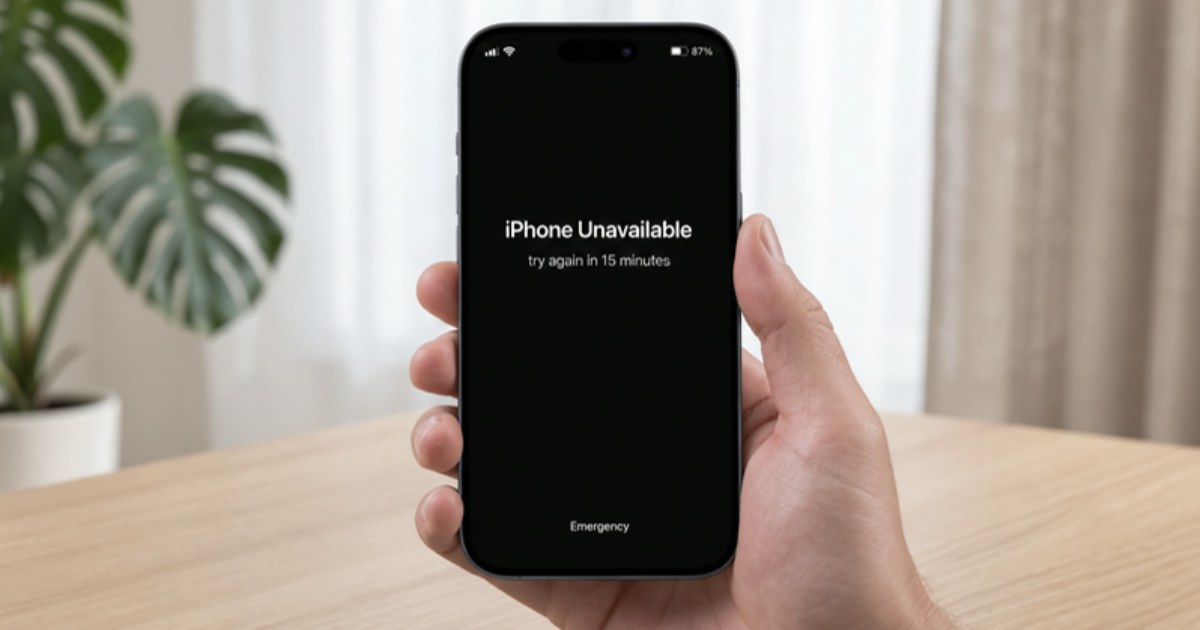
You’ve entered the wrong passcode too many times, or you genuinely can’t remember it. Your iPhone says iPhone Unavailable and makes you wait. Annoying, but there is a way out. The catch: without your passcode, your data only comes back via a backup.
On the Lock Screen, choose Forgot Passcode? and reset your iPhone with your Apple Account password. For this, it needs to be connected to the internet. If that doesn’t work, restore it with a computer in Recovery Mode. In both cases your iPhone is erased. Afterwards, restore a backup.
Have you just changed your passcode?
On iOS 17 and later, you can still use your previous passcode for up to 72 hours after changing your passcode. On the Lock Screen, choose Forgot Passcode? and then the option to enter your previous passcode. Then you set a new passcode straight away.
Reset with your Apple Account
- Tap Forgot Passcode?At the bottom of the iPhone Unavailable or Security Lockout screen.
- Choose to resetYour iPhone asks for your Apple Account password.
- Wait until it has been erasedYour iPhone must be connected to Wi-Fi or mobile internet.
- Set it up againRestore your iCloud backup.
If you don’t see this option, erase your iPhone via iCloud.com/find, or put it into Recovery Mode with a computer and choose Restore. Read this article to find out how to use Recovery Mode.
What can and can’t be done?
- Can’t be done: bypassing a forgotten passcode and keeping your data. Apple can’t do that, and neither can we. That’s how your iPhone is kept secure.
- Can’t be done: removing Activation Lock without your Apple Account. That’s why, after erasing, your iPhone asks for your Apple Account details.
- Can be done: resetting your iPhone and restoring a backup.
- Can be done: helping you with the computer if you don’t have one yourself.
Help with resetting
No computer, or can’t manage it? Choose your iPhone and then Software. We’ll help you with the reset, using your own Apple Account.
- Open 7 days a week
- Warranty of up to 12 months
- Ready while you wait
Frequently asked questions
Will I lose my photos if I’ve forgotten my passcode?
Your iPhone will be erased. Your photos will come back if they’re in iCloud Photos or a backup.
How many times can I enter the wrong passcode?
After a few attempts, you have to wait longer each time. After ten attempts, you have to reset your iPhone.
Can you bypass the passcode?
No. Nobody can do that without erasing your data, not even Apple.
What if I’ve lost my Apple Account password too?
Recover it via iforgot.apple.com or using another device belonging to someone you trust.
Also read
Daan has been a technician at Fixers for three years and is certified for Apple (Atlas) and Samsung (GSPN). He works at Fixers Leiden and helps write the knowledge base, so that you can often solve a problem yourself first.