Maintenance Mode on your Samsung: how to hand it in safely for repair

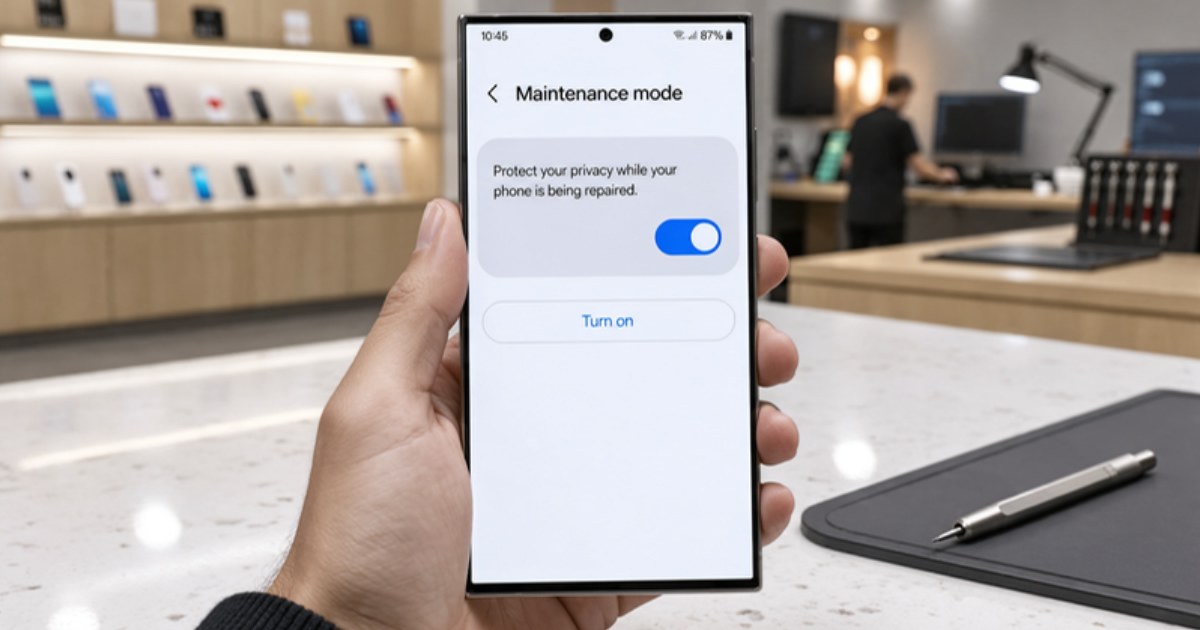
You need to hand in your Samsung for repair, but you don’t want anyone to be able to get at your photos and messages. Samsung has a clever solution for that: Maintenance Mode. We can then test your phone without being able to get to your data.
Go to Settings › Battery and device care › Maintenance mode and tap Turn on. Your phone restarts with an empty user. Your own data is shielded. After the repair, you turn it off with your PIN or pattern and everything is back as it was.
How to turn it on
- Open SettingsTap Battery and device care.
- Choose Maintenance modeYou’ll get an explanation and the option to make a backup. Do that to be on the safe side.
- Tap Turn onYour phone restarts in an empty environment.
You’ll find Maintenance Mode on most Galaxy phones with One UI 5 or newer, including many A models.
What can we and can’t we do?
- We can: test calls, the camera, wifi, the speakers and the screen, and use standard apps.
- We can’t: get at your photos, messages, apps, contacts and accounts.
- Everything that is done in Maintenance Mode disappears again when you turn it off.
How to turn it off
After the repair, tap the Maintenance Mode notification or go to the same place in Settings. Choose Exit and confirm with your PIN, pattern or fingerprint. Your phone restarts with all your own data. After that, you can check for yourself that everything works.
Plan your Samsung repair
Choose your Samsung and the repair. Turn on Maintenance Mode before you come in.
- Open 7 days a week
- Warranty of up to 12 months
- Ready while you wait
Frequently asked questions
Will I lose data because of Maintenance Mode?
No. Your data stays where it is and is simply shielded. A backup is always a good idea, though.
Which Samsung phones have Maintenance Mode?
Most Galaxy phones with One UI 5 or newer, including many A models.
Can I turn on Maintenance Mode with a broken screen?
Only if you can still use the screen. Otherwise, we’ll test together with you.
How do I turn it off?
Via the notification or in Settings, with your PIN, pattern or fingerprint.
Also read
Daan has been a technician at Fixers for three years and is certified for Apple (Atlas) and Samsung (GSPN). He works at Fixers Leiden and contributes to the knowledge base, so that you can often solve a problem yourself first.