Transferring data to your new iPhone: the easiest ways

Unboxing a new iPhone is fun. Getting everything back in order is a bit less so. Luckily, Apple makes it easy. With the right preparation, your photos, apps and chats will be on your new device within an hour.
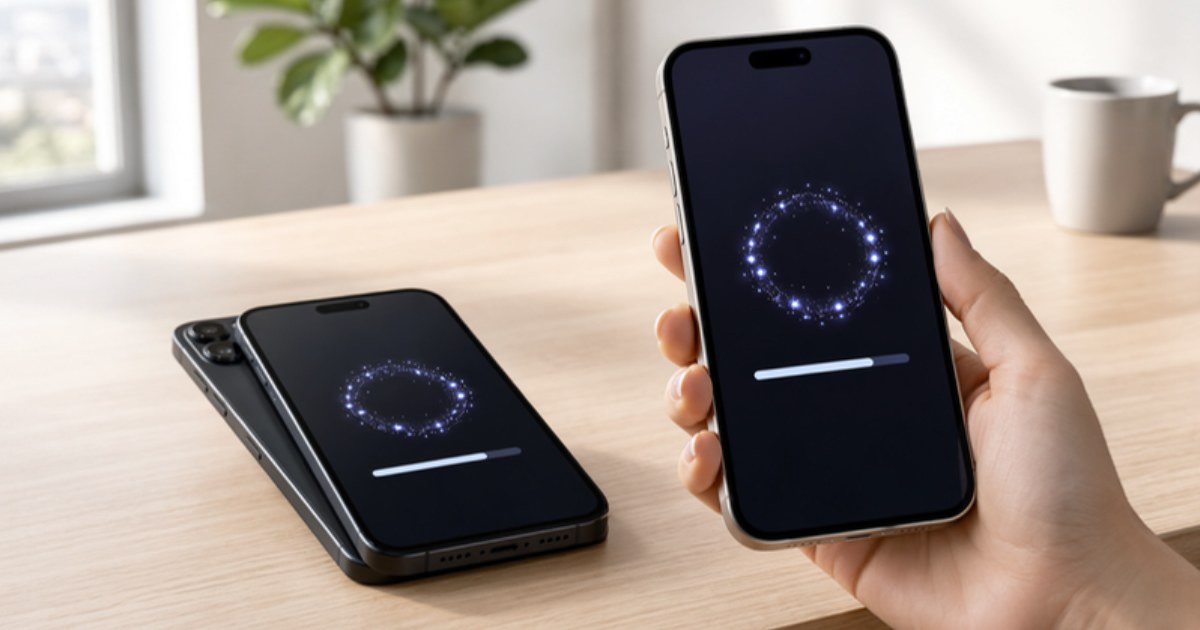
Use Quick Start: put your old and new iPhone next to each other and follow the steps on the screen. Your data then goes straight from iPhone to iPhone. If you no longer have your old iPhone, restore an iCloud backup. If you’re coming from Android, use the Move to iOS app.
Prepare in five minutes
- Update your old iPhone to the latest iOS it supports.
- Charge both iPhones, or keep them plugged into a charger.
- Make sure you have a good Wi-Fi connection.
- Know your Apple Account password and keep your phone number or another Apple device to hand for the verification code.
- To be safe, make a backup in WhatsApp: Settings › Chats › Chat Backup.
Quick Start, step by step
- Turn on your new iPhonePlace it next to your old iPhone. A prompt appears on your old iPhone asking if you want to set it up.
- Scan the animationHold your old iPhone over the moving cloud on the new screen.
- Enter your passcodeThe one from your old iPhone.
- Choose Transfer from iPhoneYour data then transfers directly. Keep the iPhones close together until it’s done.
Do you use an eSIM? With many providers you can bring it along during setup. If that doesn’t work, arrange it through your provider’s app or customer service.
Other ways
- iCloud backup. During setup, choose to restore from an iCloud backup. Handy if your old iPhone is broken or gone. Also read how to restore a backup.
- Mac or PC. Make an encrypted backup in Finder or the Apple Devices app and restore it to your new iPhone.
- From Android. Install Move to iOS on your Android phone and, on your new iPhone, choose to transfer data from Android.
Get your old iPhone repaired first?
If transferring doesn’t work because of a broken screen or battery, choose your old iPhone and the repair. After that, you simply transfer everything.
- Open 7 days a week
- Warranty up to 12 months
- Ready while you wait
Frequently asked questions
How long does transferring with Quick Start take?
That depends on how much you have stored. Allow between fifteen minutes and an hour. Keep the iPhones close together and plugged into a charger.
Will my WhatsApp chats come with me?
Yes, if you use Quick Start or an iCloud backup. To be safe, also make a separate backup in WhatsApp.
Can I transfer if the screen of my old iPhone is broken?
If your iPhone still responds, sometimes you can. Otherwise, have the screen repaired first or restore an iCloud backup.
Do I need to erase my old iPhone afterwards?
Yes, if you’re giving it away or selling it. Read our checklist for selling or trading in.
Also read
Daan has been a technician at Fixers for three years and is certified for Apple (Atlas) and Samsung (GSPN). He works at Fixers Leiden and helps write the knowledge base, so you can often solve a problem yourself first.